 The content linked in this article is over 1 year old, consider most of the links and information to be outdated.

Nicolas Cannasse Opening Talk - One Year of Haxe
Nicolas opened the conference by going over what has changed in the last year, the various releases, new features, additional syntax and further speed improvements.
He continues by explaining the future plans for Haxe 3.2. This includes
completing the haxe.io.Bytes API by adding additional accessors and using
Typed Arrays on the JavaScript target which will provide a huge speed
improvement. Simon Krajewski’s hxparse library might provide a hint of what’s to
come as it includes its own byte class which uses the best underlying object
on each platform to get the best speed available.
The next feature planned is full Unicode support by providing haxe.Ucs2,
haxe.Utf8 and haxe.Utf16 which can automatically convert between each
other, full cross-platform conformity and the best performance available
for the underlying platform.
A few other features are also planned, to improve macro support, additional improvements
to Date by adding UTC support, moving SPOD to haxe.db and continue to improve
the Python target.
Nicolas goes onto describing who makes up the Haxe Foundation and what they do. The Haxe Foundation have sponsored a handful of projects, from HIDE, WWX, UFront and the new Haxe website created by Jason O’Neil who’s also handling the development of UFront.

The new site uses UFront, but without a database, instead relying on GitHub for all its
content. Clicking any contribute link at the bottom of a page will take you to the
relevant GitHub page. This is to encourage community contribution and make it easy to
review changes and additions to the site.
Thomas Fétiveau - Development workflow with Cocktail and NME
Thomas shares his knowledge of using Cocktail, a HTML and CSS rendering engine by SilexLabs the hosts of WWX. He starts off with the development workflow that he uses, starting off by targeting any browser and once everything is working, compile using Cocktail to the Flash player to see if anything needs fixing. Then compile using Cocktail and NME to target mobile platforms.
He then goes onto show projects he has used Cocktail in, EBuzzing Buzz player, TF1 connect app which targets Adobe AIR, displaying live streams, real time comments, votes and interactions on Twitter and Facebook, the TF1 X player which compiles to HTML5, Flash, native iOS and Android and available as a native app fragment. With each project, Cocktail has been improved with new features and bug fixes.
But it does have its limitations like any library. It currently doesn’t have full CSS support, missing some HTML elements. Its best to checkout Cocktails HTML and CSS status page. But it is great for apps that need to target web and native with no compromise on performance and compatibility.
Hugh Sanderson - C++ Magic
Hugh introduces “C++ Magic” which gives low-level libraries access to platform specific functions.

The most basic level of manipulation is to add paths and libraries to your build.xml
file. Hugh classes this as nothing more than a conjurer of cheap tricks. You can
control the build tool through the use of environment variables by using compiler
defines or by toolchains which are usually part of a haxelib library.
Hugh goes onto to explain that untyped “skips most type checking but still needs
valid syntax” to work. If you want to interface between Haxe and external code you
need to use __global__ and __cpp__ along with untyped.
untyped __global__.MessageBox(0, "Hello", "Title", 0) gives you access to global
scope which is useful because Haxe doesn’t have one. On the other hand
untyped __cpp__('printF("Hello")') parses as a local function call. In both cases "Hello"
is autocast from a Haxe string to a native string.
Hugh has also introduced the cpp.* package which contains NativeArray, String,
Float32, and UInt8 which are to be used as static extensions.
He then ramps up the magic to include metadata. He provides metadata for classes and functions. For classes you have the following:
@:headerClassCode(...)which injects member variables and inline functions.@:headerCode(...)which includes external headers.@:headerNamespaceCode(...)which allows you to add to the global namespace.@:cppFileCode(...)which allows you to include external headers only in C++ files.@:cppNamespaceCode(...)which implements static variables.@:buildXml(...)which allows you to add to thebuild.xmlfile.
For function metadata you get the following:
@:functionCode(...)@:functionTailCode(...)
Hugh states these are largely redundant as you should use untyped __cpp_(...)
instead.
The next section is on extern magic. As far as I’m aware the C++ target has never supported
extern classes like the other targets, until now. This is now possible because of
all the new features introduced above. Here is an example from Hugh’s slides.
// Avoids generating dynamic accessors.
@:unreflective
// Marks an extern class as using struct access(".") not pointer("->").
@:structAccess
@:include("string")
@:native("std::string")
extern class StdString {
	@:native("new std::string")
	public static function create(inString:String):cpp:Pointer<StdString>;
	public function size():Int;
	public function find(str:String):Int;
}

class Main {

	public static function main() {
		var std = StdString.create("my std::string");
		trace( std.value.size() );
		std.destroy();
	}
}
Before Hugh shows off his demo, he goes into his future plans for the C++ target. This includes more native integration, a fully native Int64 implementation, a possible concurrent GC and fake classes and interfaces.

If you want to run the demo yourself, download the binary either for OSX or Windows. You will need a webcam for it to work. If you want to attempt to build it yourself head over to Hugh’s website for instructions.
Bruno Garcia - Flambe Future
Bruno who is the JavaScript target maintainer, who started Haxe Meme and wrote Flambe, a 2D game engine starts off by stating how Flambe has had amazing growth and adoption with over 200 commercial games built with Flambe. Bruno has a strong focus on developer UX, focused on tool integration and rapid development.
Nickelodeon started evaluating HTML5 game engines in 2012 and today all new games are built with Flambe which has helped it go viral across the industry. Disney and Viacom, two of the top 4 media companies worldwide use Flambe. The top two toy companies worldwide, Hasbro and Mattel use Flambe, as well as CocaCola, Toyota, Spil Games and Mozilla.

Bruno puts the success on good HTML5 support with graceful enhancement, Flump
which exports fla files to a GPU friendly format, its high performance, the native
extensions and a focus on developer UX, by decently documenting code and all new API’s
must be documented.
He goes onto demonstrate a few code examples in AS3 versus Haxe & Flambe. The Haxe & Flambe versions are considerably shorter and succulent compared to their AS3 versions. He plans to implement features which users have been asking for, tilemap loading, polygon rendering and video playback. One of the more interesting areas for me would be a new native app backend built with Lime.
Jean-Baptiste Richardet - What’s your favorite Haxe IDE?
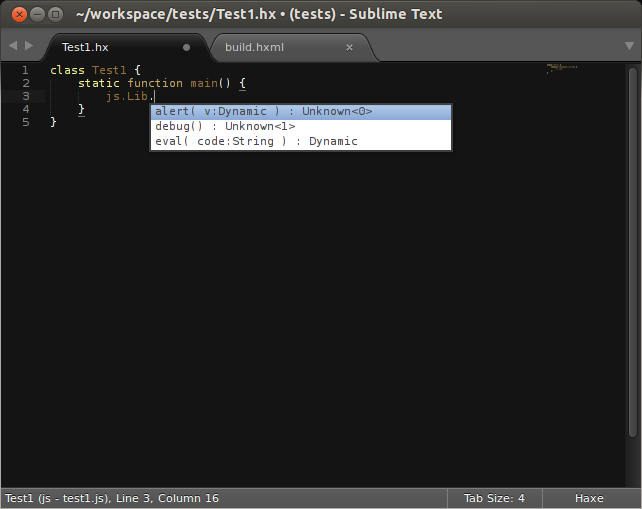
Jean-Baptiste talks about the various IDE’s available to Haxe and how to choose an IDE. He starts off with the most popular IDE, determined by a twitter survey, Sublime Text for it being multi platform, powerful and light with great autocompletion thanks to Clément Charmet’s Haxe sublime bundle.
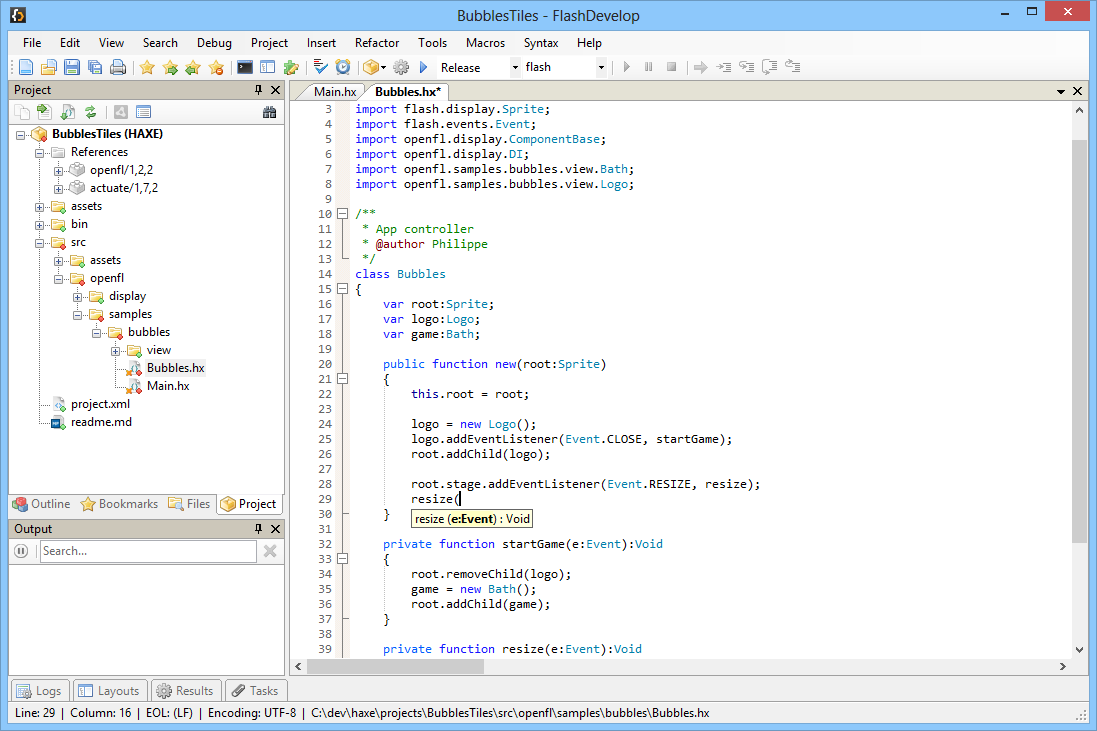
The next most popular IDE for Haxe is FlashDevelop, with has incredibly smart code completion, Flash and C++ debugging builtin, integrated source control and is free and open source. I expect it came second because its Windows only.
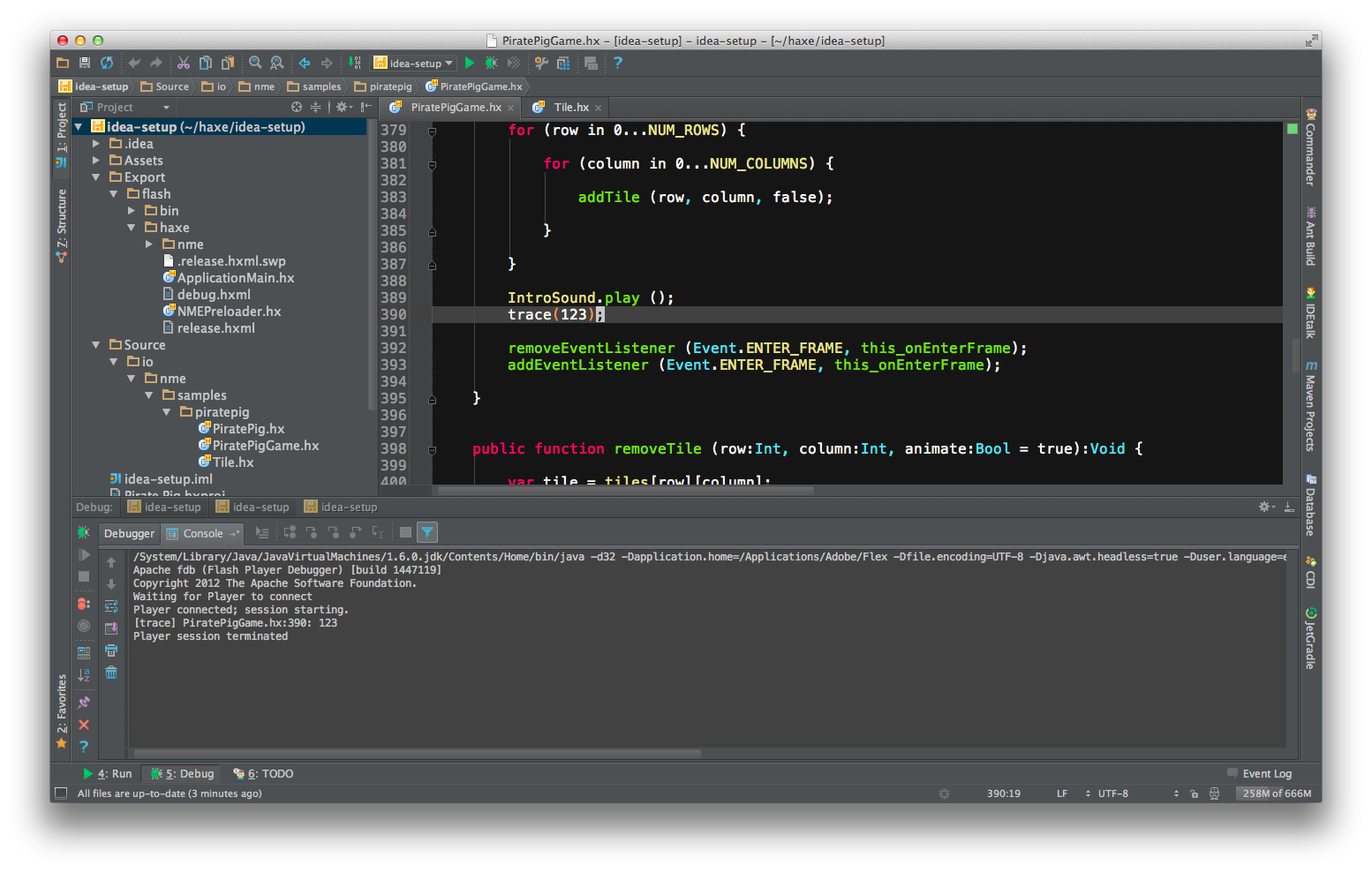
Third place goes to IntelliJ IDEA, a multi platform, powerful IDE with code refactoring, analyzing, beautifying and more. The Haxe completion is a open source plugin which works with the free community edition but the plugin is out of date so autocompletion has taken a hit.
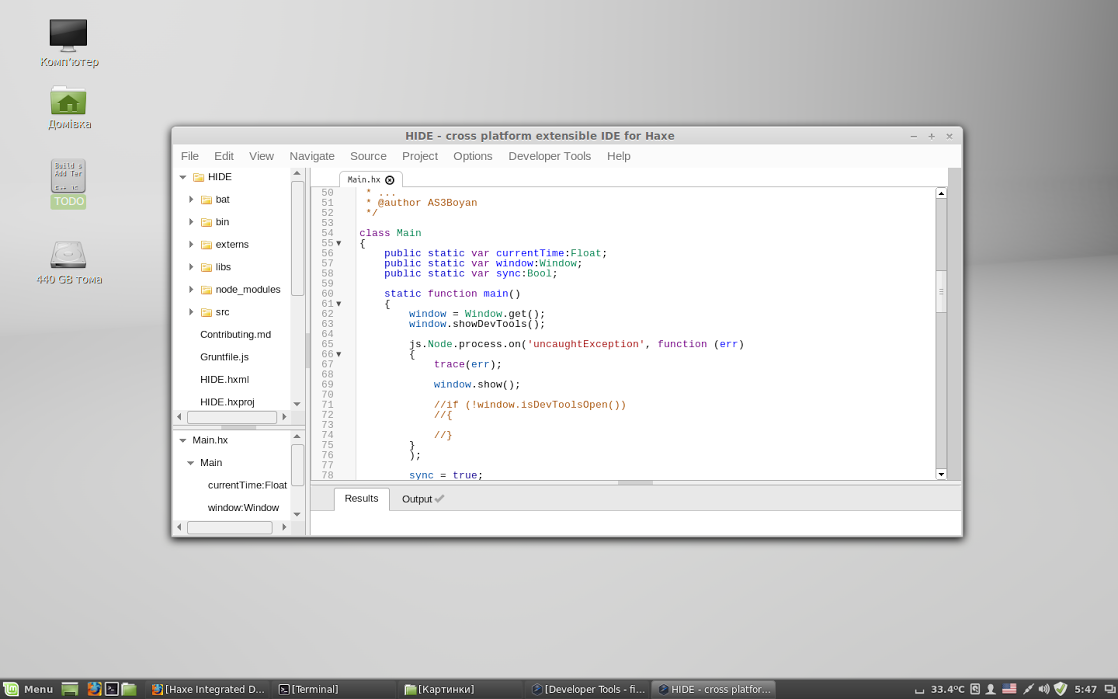
The fourth position goes to the newest Haxe IDE HIDE which is multi platform, built on top of NodeJS and Webkit, it is free and open source and integrates with Haxelib. HIDE is under active development so new features are being added all the time, its a promising IDE for Haxe that the Haxe Foundation have sponsored.
There are other IDE’s available, FDT, MonoDevelop, TextMate, Geany and Vim/Vaxe.
Juraj Kircheim - Tinkerbell, Haxe on Wings
Juraj, master of macros, starts off with with how Haxe has delivered on the promise Java failed to keep. Juraj introduces Tinkerbell as never going to be one framework or finished, that it is a continuous work in progress of many small well documented packages.
Tinkerbell currently consists of tink_core, tink_macro, tink_lang, tink_priority,
tinx_autospod and tink_template with more to come.
With the philosophy behind all his libraries being composability, Juraj introduces
Tinkerbell Language Extensions which add short lambdas, extended loops,
optimized loops with x1.5 to x4 times speedup for Flash and faster on other targets,
partial implementations, syntactic forwarding and loads more additions
all by adding implement tink.Lang to your classes.
Juraj goes on to introduce Tink Auto SPOD extension. This automatically connects to your database, creates any missing tables and missing columns and initializes SPOD for you.
Next he introduces Tink Template with is largely compatible with
haxe.Template but is a compile time template language with rich syntax, including
switch, while, for, var and function. Your templates are compiled into true
Haxe classes which can implement interfaces and extend classes.
Justin Donaldson - Promhx
Justin introduces Promhx a promise and functional reactive programming library that aids in asynchronous programming by explaining what Promhx attempts to fix. It breaks up computation into multiple loops, removing the need to wait for a server response, by providing a better way of handling errors in async code, by making async code easier to read and providing a single solution for use on the client and server side.
For the JavaScript target, Justin has made sure it avoids scheduling a repaint in the
browser by using setImmediate which runs after all operations such as events and
display updates have finished. For the other platforms you have to provide your own
event loop. The Haxe Foundation are thinking of providing a base abstract
loop to help build crossplatform APIs.
Promhx is well tested with 30+ tests which are run on 7 platforms with only the CSharp and Php targets having issues. And compared to the various JavaScript promise libraries in terms of speed Promhx is one of the fastest.
Todd Kulick - Haxe as Web development platform for TiVo?
Todd from TiVo, who are propably the largest users of Haxe shipping one million lines of Haxe to over one million devices.
Péter Sipos - Haxe as Web development platform for Prezi?
Elliott Stoneham - Haxe as a compilation target for other languages
Elliott takes a different approach to Haxe, instead of making Haxe target another language, he is targeting Haxe.
Elliott is using Go to target Haxe, comparing Go to the TARDIS “a small idiosyncratic exterior [which] conceals large scale quality engineering” and compares Haxe to a sonic screwdriver “an easy to use tool built on engineering excellence that is useful in a wide range of situations”.
With the three authors of Go being responsible for Google’s V8 JavaScript engine and UTF8 among other accomplishments, Go’s objectives are to be readable, safe and efficient, provide good concurrency and a tool which can operate at Google’s scale.
With Go being 5 years old compared to Haxe’s 9 years, having 13x more GitHub repositories, having 6x more Twitter followers, 17x more Google+ followers and being on the TIOBE index, Elliott proposes that Haxe should be used as a intermediate language for TARDIS Go, his Go to Haxe transpiler.
By targeting Haxe you can get Go’s concurrency, goroutines and channels which are transformed into SSA representation which is then recreated into Haxe code to get the same behaviour as the original Go code, then you do your usual Haxe compiling.
Elliott has two demos demonstrating Go to Haxe compiling, with the first showing
eight Gophers with each gopher being a goroutine and the pile of books being a channel.
The second example is an interactive demonstration showing a goroutine reacting
to a channel of events generated by your mouse.
The compiler team have mentioned a couple of times that they might use SSA to bring further optimisations to the Haxe compiler.
Franco Ponticelli - Haxe for makers
Franco starts off by defining the terms Haxer and Maker, “A person
who uses clever ha(cks|xe) to get the s#!t done” and “A person who
loves to create things often with their own hands, often electronics”, respectively.
He follows this by introducing the various open source projects available from 3D printers, to OS computer. He also shows off Open Source Ecology which develops open source industrial machines made for a fraction of the commercial costs. If you’ve never heard of it definitely check it out.
Franco continues by showing us what “the tools of the trade [are] in the 21st century” for craftsman. This includes the various types of 3D printers, Fused Filament Extrusion, Stereolithography, Powder Deposition, Direct Metal Laser Sintering and Subtractive machining which include Laser, Water Jet and Plasma cutters. This is followed by the different motion systems available, 3, 4, 7 axis, delta robot, H-bot or the SCARA arm.
He goes onto share the different “physical libraries”, “virtual libraries” and the different editors.



Franco reckons there is an opportunity for Haxe developers to build upon in the makerspace, check out his demo for his take on an in browser 3D editor. The Haxe compiler can be run on any Linux compatible pocket computer board, the BeagleBone Black and Raspberry PI are just a couple which are compatible.
There are many boards which already support a compile target, C++, JavaScript, CSharp, Python and probably all the rest.
Justin Mills - The cross target puzzle - a visual perspective
Justin was unable to make it to the conference so he documented his talk over on Google+. Justin talks about abstracting graphics on the Java and JavaScript targets with plans to add Flambe and OpenFL as targets for his experiments but deciding to focus on less explored targets.
He has 5 targets, Java OpenGL which uses Lwjgl and Slick2D, Java Swing which uses Haxe generated Java, JavaScript canvas which uses Haxe generated JavaScript, Node-Webkit which wraps the JavaScript canvas example and WebGL IvanK JS which emulates the Flash API for WebGL.
Make sure to head over to his google+ post for a more indepth explanation of his talk.
Cauê Waneck - Unity3D on steroids
Cauê talks about adding Unity3D to your supersonic Haxe toolbox because of it being the most popular tool for 3D games, it also has multiple targets, has an awesome editor, its a place for Flash refugees, it has an asset store and you shouldn’t fight against it, assimilate.
Cauê goes onto ask why use Haxe with Unity3D? How about targeting Unity3D, also future proof your code base, client and server code is the same, with an elegant and feature rich language. And macros.
Targeting any C# library used to require writing extern files, as seen by HUGS
but now all you have to do is add the following command to your hxml file is
-net-lib path/to/lib.dll. So in the case for Unity3D add
-net-lib libs/UnityEngine.dll -net-lib libs/UnityEditor.dll. This is the C#
targets version of -java-lib and -swf-lib already part of the compiler which
means you likely no longer need to create externs.
Cauê next introduces Unihx, a proof of concept tool which binds Unity3D and Haxe together. It features are:
- Automatic recompilation using the completion server.
- Drag and drop support for Haxe classes.
- Avoids any generated C# code warnings.
- Mix pure C# code with Haxe and cross-reference between them.
- Added Vector and Quaternion operator overloading.
traceusesDebug.log.haxe.HttpusesUnityEngine.WWW.
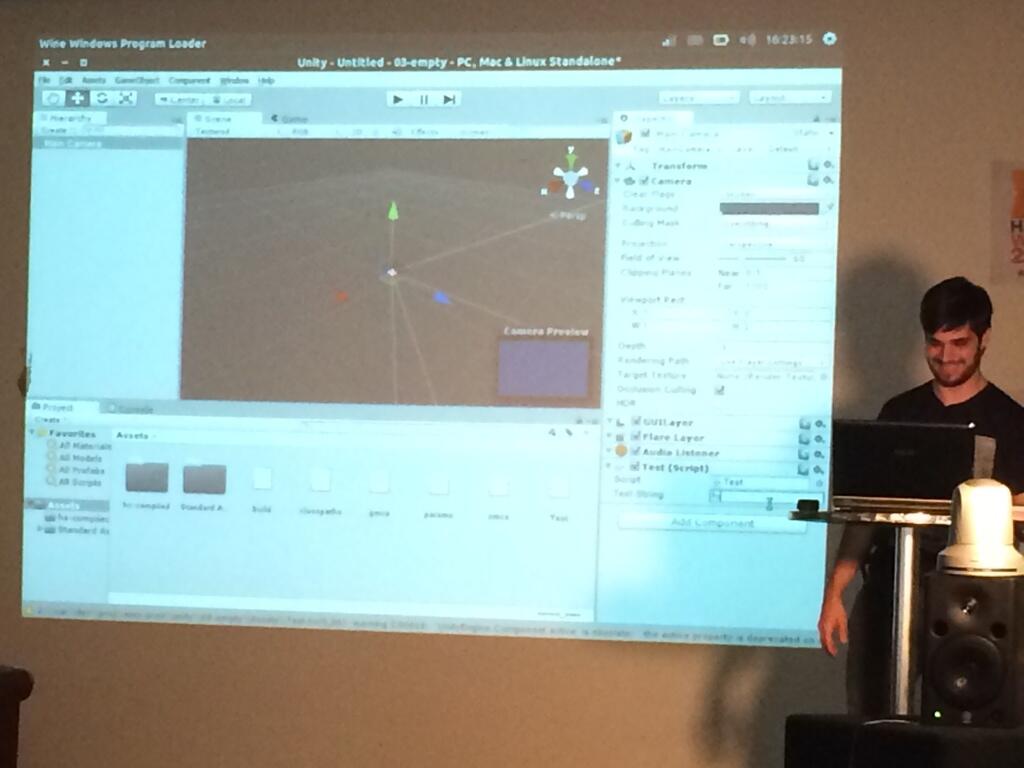
The C# target roadmap is to continue improving -net-lib, add missing C# functionality
so if you can do it in C# you should be able to do it in Haxe and add direct
assembly from Haxe so skipping the generated C# all together.
Andreas Söderlund - DCI, How to get ahead in system architecture
Andreas starts off by explaining that the mental models you have during programming are mismatched to how most people actually code and how testing only shows the presence, but not the absence of bugs. When the mental model matches “the objects you control become an extension of your mind”.
Andreas takes you through designing a restaurant system using, inheritance, interfaces and services all of which mismatch to the mental model. Which is where DCI, Data, Context and Interaction comes in.
He provides a concise intro into how DCI was invented which has been formalized over the last 10 years by using research into human cognition and architectural ideas.
By using Andreas’s haxedci library you are able to create a method of reflecting user mental models in code in a way of separating what the system is from what it does.
// Data (Form)
class Employee {
	public var name:String;
	public var birth:Date;
}

// Context (Mental Model/Use Case/Algorithm)
class ServeGuests implements haxedci.Context {
	@role var waiter = {
		// RoleInterface (Compatible Form)
		var roleInterface:{
			var name:String;
		}

		// RoleMethods (Function)
		function guestsArriving():Void {
			var menu = "1: Roast beef. 2:...";
			// Interaction (System behavior)
			guests.selectFrom(menu);
		}

		function takeOrder(order):Void {
			Sys.println("Thank you.");
			chef.cook(order);
		}
	};
	@role var guests = {
		function selectFrom(menu):Void {
			Sys.println(menu);
			order = Sys.stdin().readLine();
			waiter.takeOrder(order);
		}
	};
	@role var chef = {
		function cook(order):Void {
			// ...
		}
	};

	public function new(employeeWaiter, employeeChef, guestList) {
		this.waiter = employeeWaiter;
		this.chef = employeeChef;
		this.guests = guestList;
	}

	// System operation (Event)
	public function guestsArriving() {
		waiter.guestsArriving();
	}
}
The behavior is put back within the boundaries of a human mental model not spread across classes, services or patterns.
Joshua Granick - OpenFL 2.0 What was, What is and What’s to come
Joshua wasn’t able to attend the conference in person but contributed to it by posting his talk onto youtube. He starts by going over the last year of changes to OpenFL with it taking advantage of Haxe 3 new features and designed to be modular with swappable backend targets.
Since then OpenFL has moved from SDL to SDL2 which was more complex than they initially thought, a much improved HTML5 backend, added support Tizen, Firefox OS and Android micro consoles, think Oyua and introduced a new low level library Lime which gives more flexibility to developers.
The OpenFL SWF library has had significant improvements over previous versions supporting
basically every feature apart from ActionScript bytecode or any sound. The SWF library
creates two formats, swf and swflite. The swflite format is created at compile
time where as the swf format is processed during runtime which is inefficient
compared to the swflite format and impractical for the HTML5 target. The SWF library
has been battle tested against huge and complex files and has not problem handling
them.
If you’ve followed OpenFL or any roundups you will know that the OpenFL HTML5 target
has been completely rebuilt from the ground up to be lightweight and fast. The OpenFL
team have based the core upon Pixi.js to be able to share features between libraries
in the future, and with Apple announcing support for WebGL there is nothing holding
the OpenFL team from defaulting to WebGL and using canvas as a fallback. For the
less powerful devices, ie smart TV’s, you can define -D dom to get a build that
uses the DOM and CSS3 instead of canvas.
With OpenFL 2.0 they have partnered who has existing console middleware to bring the Wii, Wii U, DS, 3DS, PS3, PS4, PS Vita, Xbox 360, Xbox One and more as new deploy targets. Unfortunately but understandably, this will be a paid option to get access to these deploy targets due to the cost of dev consoles and restrictions imposed by targeting these consoles, but its going to be a lot more affordable than Unity3D.
OpenFL 2.0 has initial support for live asset reloading for projects on the desktop,
as well as notifying your app of a change via Event.CHANGE in case you want to
perform more advanced actions to assets changes.